Technology has changed the way teachers explain lessons and students understand new information. Traditional classrooms once depended mainly on chalkboards, textbooks, notebooks, and printed materials. These resources are still useful, but modern educational technology has introduced additional opportunities for effective learning. One important development is the use of digital whiteboards in classrooms.
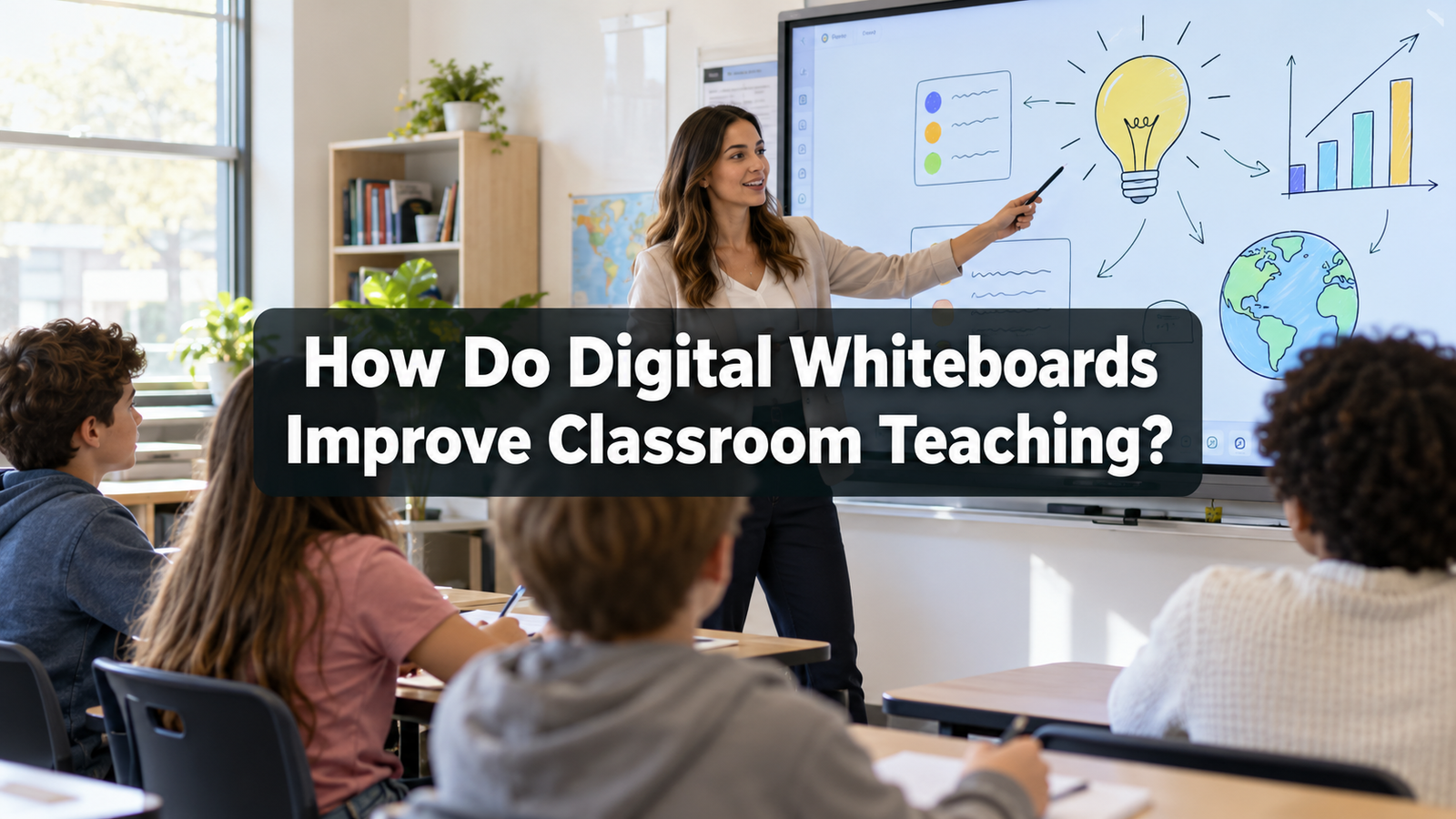
Digital whiteboards allow teachers to present information through text, images, videos, diagrams, and interactive activities. Instead of simply writing notes on a board, teachers can create lessons that encourage students to participate and explore different concepts. This makes classroom teaching more flexible, visual, and engaging.
Understanding how digital whiteboards improve classroom teaching can help schools and educators make better decisions about using technology. When these tools are used with clear learning objectives, they can support student understanding, improve communication, and make everyday teaching activities more organized.
What Is a Digital Whiteboard?
A digital whiteboard is an electronic teaching tool that allows teachers and students to display, write, draw, and interact with educational content. It may appear as a large interactive screen installed in a classroom or as software used on computers and tablets.
Unlike traditional boards, digital whiteboards can display different forms of educational material within the same lesson. Teachers can write explanations, open documents, show illustrations, and present videos without constantly changing teaching equipment.
Some digital whiteboards support touch controls, allowing students to move objects, complete activities, and write answers directly on the screen.
For example, a mathematics teacher can display a geometry problem and ask students to identify different shapes. A science teacher can show a diagram of the human body and explain the functions of important organs.
These activities create opportunities for students to observe information and participate in learning.
1. Making Classroom Lessons More Interactive
One of the main benefits of digital whiteboards in education is their ability to support interactive classroom teaching.
Traditional teaching often involves students listening while the teacher explains information. Although listening remains important, students may understand certain topics more effectively when they actively participate.
Digital whiteboards allow teachers to introduce activities that require students to respond, solve problems, and demonstrate understanding.
For example, an English teacher can display a sentence with missing words and invite students to complete it on the board. A mathematics teacher can present a calculation and ask students to explain each step.
These activities encourage learners to become involved in the lesson.
Interactive teaching also creates opportunities for teachers to identify misunderstandings immediately. When students give incorrect answers, teachers can provide explanations and help them recognize the correct method.
As a result, digital whiteboards can make classroom discussions more meaningful.
2. Improving Visual Learning and Understanding
Students do not always understand information through verbal explanations alone. Some subjects become easier when learners can observe pictures, diagrams, charts, and practical examples.
Digital whiteboards support visual learning by allowing teachers to present information in different formats.
For example, understanding the solar system through a textbook description may be difficult for younger students. A teacher can use a digital whiteboard to display images showing the planets and their positions.
Similarly, a geography teacher can present maps to explain mountains, rivers, climates, and countries.
Visual explanations help students connect written information with recognizable examples.
Teachers can also enlarge important details, highlight specific sections, and compare different illustrations.
However, visual materials should remain relevant to the lesson. Too many moving images or unnecessary animations may distract students.
When carefully selected, visual content can improve understanding and make difficult topics easier to explain.
3. Helping Teachers Explain Complex Concepts
Certain academic subjects contain ideas that require several explanations before students understand them.
Digital whiteboards provide useful features for explaining complex information in smaller steps.
Teachers can divide a difficult topic into sections and gradually introduce each part.
For example, a physics teacher explaining electrical circuits can begin with a simple diagram. The teacher can then add components and describe how electricity moves through the circuit.
In mathematics, teachers can solve equations step by step while highlighting important calculations.
Students can follow the process without having to understand the entire solution immediately.
Digital whiteboards also allow teachers to return to previous explanations when necessary.
This flexibility supports classroom teaching because teachers can adjust their explanations according to student understanding rather than following a fixed presentation.
4. Encouraging Active Student Participation
Student participation is an important part of effective classroom learning.
When students ask questions, share opinions, and complete activities, they have more opportunities to practice what they are learning.
Digital whiteboards can encourage participation by allowing students to interact directly with lesson materials.
Teachers can organize activities in which students match words with meanings, arrange historical events, label diagrams, or solve mathematical questions.
For example, during a language lesson, students can move vocabulary words into the correct categories.
During a science lesson, students can identify parts of a plant using an interactive diagram.
These activities provide a practical way to involve students in classroom discussions.
Teachers should ensure that every student has an opportunity to participate. Students who feel uncomfortable speaking in front of the class can also contribute through paired activities or small group discussions.
The objective is not simply to use technology but to make learning more inclusive and meaningful.
5. Saving Time During Classroom Teaching
Classroom time is valuable, and teachers often have several learning objectives to complete within a limited period.
Digital whiteboards can help teachers manage instructional time more efficiently.
Teachers can prepare lesson materials before students enter the classroom. Instead of spending several minutes drawing diagrams or copying long questions, they can display prepared content immediately.
For example, a teacher can open a saved lesson containing explanations, exercises, and illustrations.
When students complete one activity, the teacher can quickly move to the next.
Digital whiteboards may also allow teachers to save written explanations for future lessons.
This reduces the need to rewrite the same information repeatedly.
However, preparation remains important. Teachers should check whether their files, software, and classroom equipment are working correctly before beginning the lesson.
A well prepared digital lesson can help maintain classroom organization and reduce unnecessary interruptions.
6. Supporting Different Learning Needs
Every classroom contains students with different abilities, interests, and learning requirements.
Some students understand information quickly, while others need additional explanations and practice.
Digital whiteboards can help teachers provide different ways to access the same information.
For example, students who struggle with lengthy written explanations may benefit from diagrams and demonstrations.
Teachers can enlarge text for students who have difficulty reading smaller writing.
Important information can also be highlighted using suitable colors and clear layouts.
In some situations, teachers can combine visual materials with spoken explanations and written notes.
This approach allows students to encounter information through several methods.
Digital whiteboards do not automatically solve every learning difficulty. Students may still need individual attention, accessible materials, and additional support.
Nevertheless, these tools can provide teachers with more options for making classroom instruction understandable.

7. Making Lessons More Interesting and Engaging
Maintaining student attention is one of the challenges teachers face during long lessons.
Digital whiteboards can make classroom activities more interesting by presenting relevant multimedia content.
For example, a history teacher can show historical photographs while discussing an important event.
A biology teacher can display an animation illustrating how plants absorb water.
A language teacher can use short audio recordings to support pronunciation practice.
These resources can create curiosity and encourage students to ask questions.
However, student engagement depends on the quality of teaching rather than the amount of technology used.
A classroom full of videos and animations may appear exciting, but students might learn very little if the material lacks clear educational purpose.
Teachers should choose activities that encourage thinking, understanding, and participation.
When technology supports a meaningful explanation, digital whiteboards can help maintain student interest throughout the lesson.
8. Improving Classroom Collaboration
Collaborative learning allows students to exchange ideas, solve problems together, and develop communication skills.
Digital whiteboards can support group activities by creating a shared space where students contribute information.
For example, a teacher can divide the class into groups and assign each group a different question.
Students can discuss their answers and then present their findings on the digital board.
In another activity, students might create a mind map about environmental protection.
Each group can contribute suggestions, examples, and possible solutions.
The teacher can organize these ideas on the screen so that everyone can understand the discussion.
Such activities encourage teamwork and help students recognize different perspectives.
Collaborative learning also gives teachers opportunities to observe how students communicate and solve problems.
Digital whiteboards are particularly useful when students need to compare information or work together on a common task.
9. Providing Immediate Feedback to Students
Feedback helps students understand their mistakes and improve their academic performance.
Digital whiteboards can make feedback more immediate during classroom activities.
Teachers can display practice questions and ask students to suggest answers.
When an answer is incorrect, the teacher can explain the mistake and demonstrate the correct approach.
Some digital teaching applications also provide quizzes with automatic results.
For example, students may answer multiple choice questions using connected devices.
The teacher can review the responses and identify topics that require additional explanation.
Immediate feedback helps prevent misunderstandings from continuing throughout the lesson.
It also allows teachers to adjust their teaching methods according to student progress.
However, feedback should remain supportive and constructive. Students should feel comfortable making mistakes because errors are a natural part of learning.
10. Making Educational Resources Easier to Access
Teachers often use several educational resources to explain a single topic.
These may include textbooks, worksheets, photographs, diagrams, presentations, and instructional videos.
Digital whiteboards can bring many of these materials together.
Instead of using separate devices for every resource, teachers can display different materials on one screen.
For example, a geography teacher can open a digital map, highlight a country, and then show photographs of its physical environment.
A literature teacher can display a passage from a book and highlight important vocabulary.
This accessibility allows teachers to connect information from multiple educational resources.
It can also reduce dependence on printed materials for certain classroom activities.
Teachers should still evaluate the reliability and accuracy of digital resources before using them.
Educational content should come from trustworthy sources and match the age and academic level of students.
11. Supporting Revision and Better Lesson Continuity
Revision plays an important role in helping students remember information.
Digital whiteboards can support revision because teachers may save classroom notes, diagrams, and completed exercises.
At the beginning of a new lesson, teachers can reopen previous materials and review important concepts.
For example, before teaching fractions with different denominators, a mathematics teacher can review basic fraction concepts.
Students can revisit earlier examples before moving toward more challenging questions.
Teachers may also share appropriate lesson notes with students for independent revision, where school policies and available technology permit.
This can help students who were absent or who need additional practice.
Saved materials also support lesson continuity because teachers can return to previous explanations without starting from the beginning.
Regular revision helps students connect new information with what they have already learned.
12. Developing Students’ Digital Skills
Digital literacy has become an important part of modern education.
Students need to understand how to use technology responsibly for learning, communication, and problem solving.
Digital whiteboards provide opportunities to introduce these skills within everyday classroom activities.
For example, teachers can show students how to organize information, interpret digital diagrams, and present findings clearly.
Students may also learn how to use digital tools during group presentations.
Teachers can discuss the importance of checking information before accepting it as correct.
These activities introduce students to responsible technology use.
However, digital literacy involves more than operating electronic devices. It also includes critical thinking, online safety, privacy awareness, and recognizing trustworthy information.
Digital whiteboards can support these lessons when teachers intentionally include them in classroom instruction.
13. Helping Teachers Assess Student Understanding
Assessment is necessary for understanding whether students are meeting learning objectives.
Digital whiteboards can support informal classroom assessment through questions, interactive exercises, and group discussions.
For example, after explaining a science topic, a teacher can display five short questions.
Students can answer individually or discuss their responses with classmates.
The teacher can review the answers and determine whether additional explanation is needed.
Interactive diagrams can also help teachers assess practical understanding.
Instead of simply asking students to memorize information, teachers can encourage them to apply knowledge.
These activities provide useful information about student progress.
Digital whiteboards should not replace all assessment methods. Written assignments, practical activities, oral discussions, and formal examinations may still be necessary.
A balanced assessment approach provides a more complete understanding of student learning.
Challenges of Using Digital Whiteboards in Classrooms
Although digital whiteboards offer several educational benefits, schools may face difficulties when introducing them.
One important challenge is cost. Interactive displays, installation, maintenance, and software may require significant financial investment.
Another challenge is teacher training. Educators need sufficient practice to use digital tools confidently and effectively.
Technical problems can also interrupt lessons. Electricity failures, software errors, and internet difficulties may prevent some activities from working.
Schools should therefore prepare alternative teaching materials.
Teachers must also avoid excessive screen use and unnecessary visual distractions.
Students benefit when digital teaching is balanced with reading, writing, discussion, and practical learning.
The purpose of classroom technology should always be to improve education rather than simply make lessons appear modern.
Best Practices for Using Digital Whiteboards Effectively
Digital whiteboards provide the greatest educational value when teachers use them according to clear instructional goals.
Before preparing a lesson, teachers should identify what students need to understand.
They should then select digital activities that support those objectives.
Clear text, relevant illustrations, and simple layouts can make information easier to follow.
Teachers should encourage students to explain their thinking instead of only touching objects or selecting answers.
It is also important to combine digital activities with traditional learning methods.
For example, students can observe a demonstration on the board and then complete related exercises in their notebooks.
Teachers should regularly evaluate whether the technology is improving student understanding.
If an activity creates confusion or consumes unnecessary time, it may need adjustment.
Effective digital classroom teaching depends on thoughtful planning, student involvement, and suitable educational content.
The Future of Digital Whiteboards in Education
As educational technology continues to develop, digital whiteboards may become increasingly useful in different classroom environments.
New software features may make it easier for teachers to prepare lessons, organize educational resources, and provide interactive learning opportunities.
Digital whiteboards may also support communication between classroom teaching and online learning platforms.
For example, teachers may be able to save classroom explanations and share selected learning resources with students.
However, future improvements should focus on accessibility, reliability, affordability, and educational value.
Schools should carefully consider their teaching needs before investing in new technology.
The most successful classrooms will not necessarily be those with the largest number of digital devices. They will be the classrooms where teachers use available resources to help students learn effectively.
Conclusion
Digital whiteboards improve classroom teaching by providing interactive activities, visual explanations, flexible lesson materials, and opportunities for student participation.
They can help teachers explain difficult subjects, manage classroom time, provide immediate feedback, and support students with different learning needs.
Digital whiteboards also encourage collaboration and create opportunities for students to develop important digital skills.
However, technology alone cannot guarantee better educational outcomes. Effective teaching still requires preparation, communication, student motivation, and a clear understanding of learning objectives.
When teachers combine digital whiteboards with traditional teaching methods, they can create a more engaging and supportive learning environment.
The real value of digital whiteboards lies in how they help teachers explain information clearly and encourage students to become active participants in their education.